iOS Alarm Interface redesign
Figma, ProtopieProblem Statement
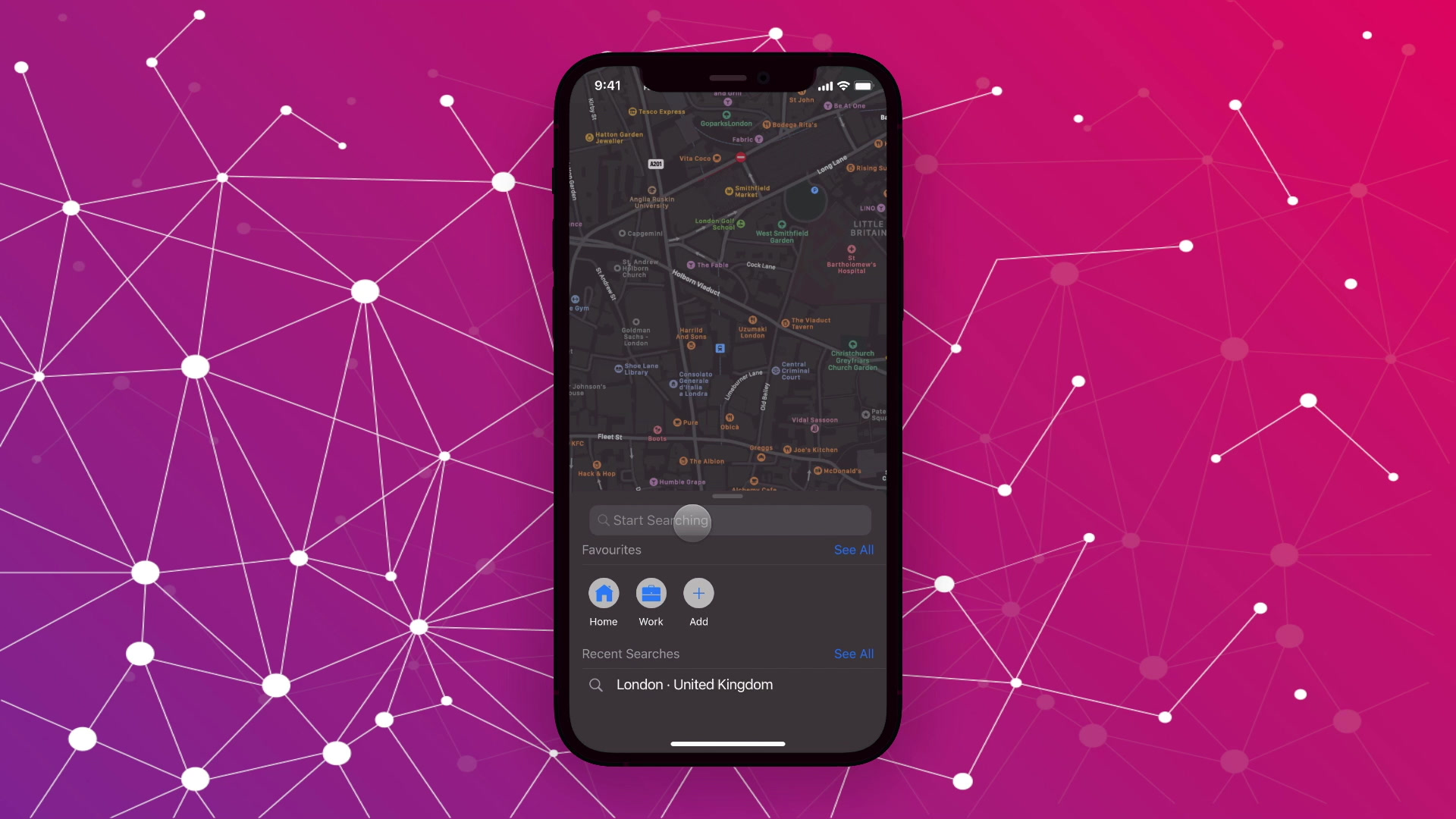
Keeping it short. If you happen to own an iPhone, you must have used the iOS clock app to set the alarm or multiple alarms. Unfortunately, in the current iOS 14, the interface for setting the alarm is quite complex and does not offer the desired user experience not to mention the confusing process where the user can both type in the values or scroll to the desired alarm time. Seeing this, I decided to approach this problem with an intuitive way to create an experience that not only mimics an actual table clock but also provides a better user experience through interactions.
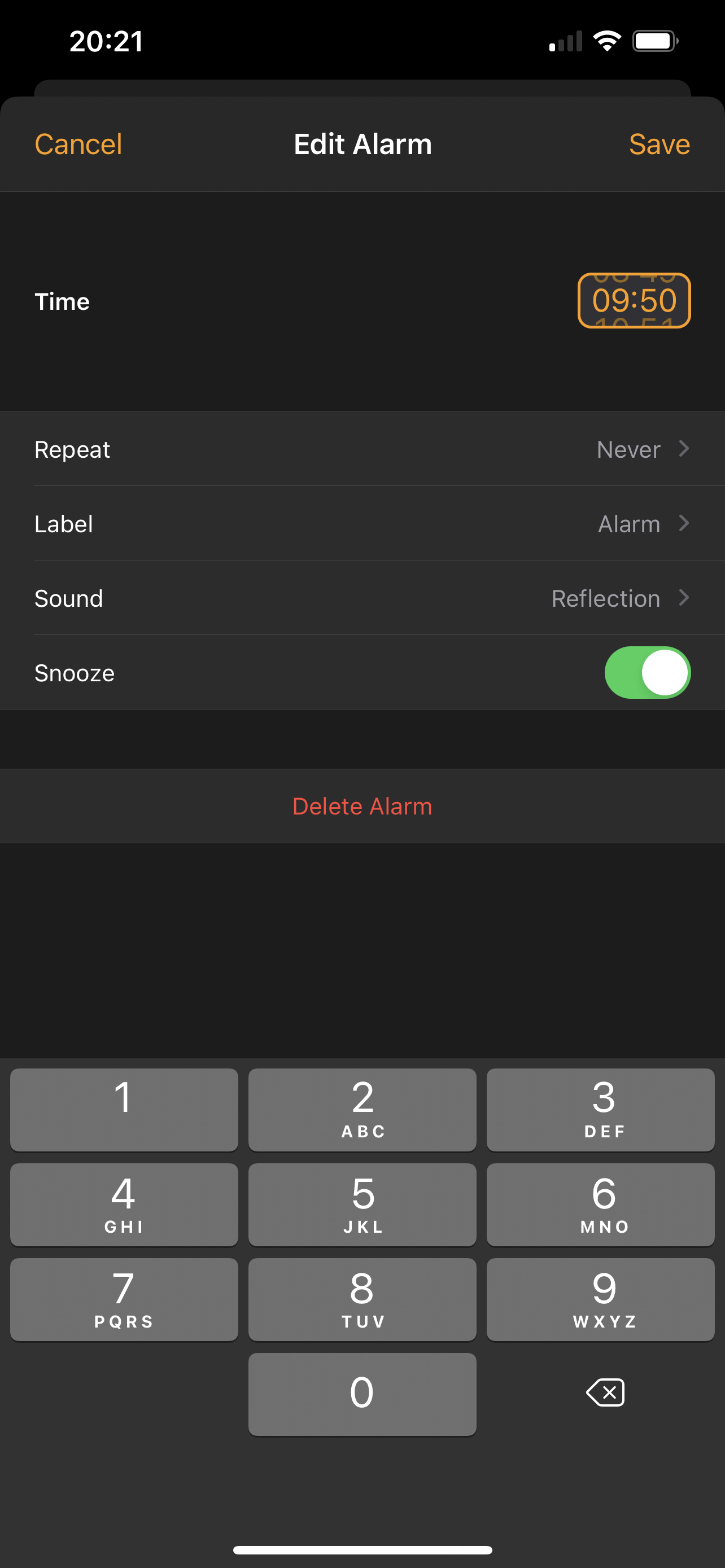
Now, if you look at this image, you will find this issue clearly shown:
- A complex way to set an alarm time.
- 2 ways to set the alarm, increasing the cognitive load of the user.
- There is no option to edit the alarm on the home screen directly, (which requires a few clicks to get to it).
- The alarm tab itself is not the first tab when launching the app, although it is used the most (rather than the current world clock tab)
My Solution
I propose a solution to the above-mentioned problem by redesigning the alarm interface with proper UX. Following Apple's old design philosophy, I made designs that mimic what is present in the real world.
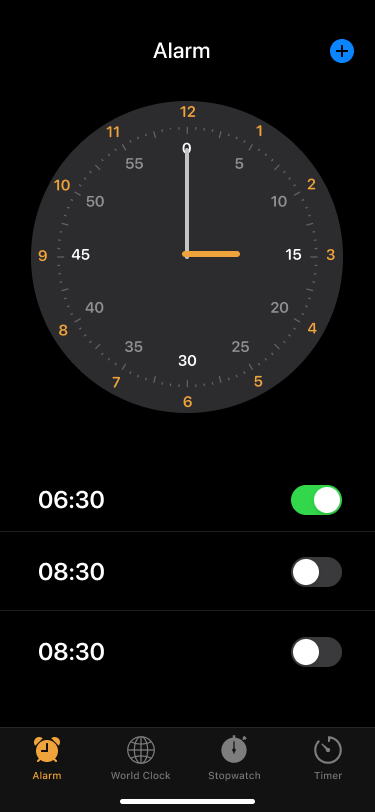
- Making the alarm tab the first in the app.
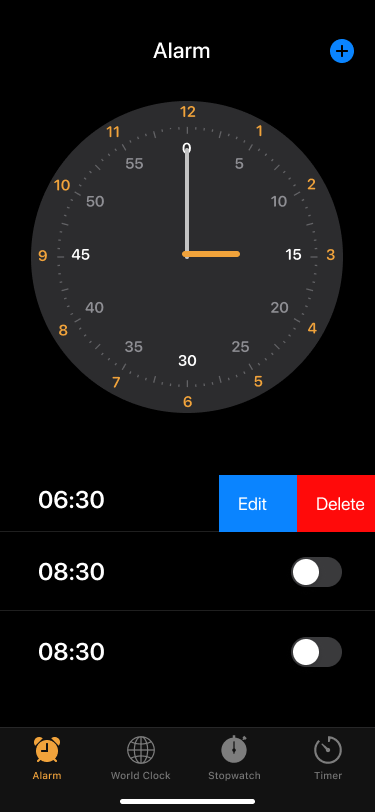
- Introducing an analogue clock that mimics a table clock prompting the user to tap it to trigger a response.
- Being able to edit and delete alarms right from the first screen by swiping left on the selected alarm.
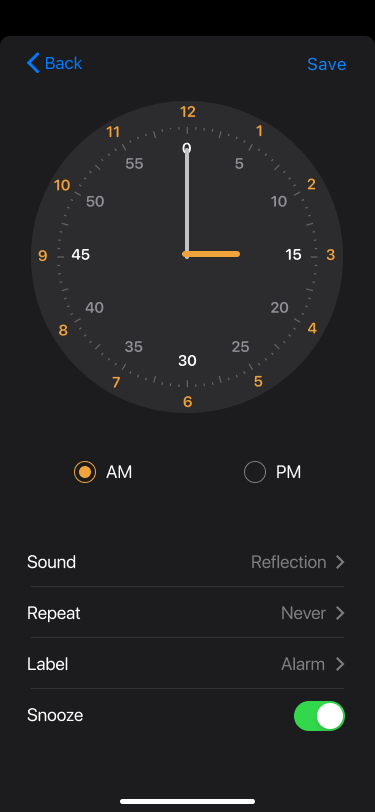
- Able to set the alarm by adjusting the minute and hour hands, just as one does in an actual clock.
These are the visuals designed in Figma of the redesigned screens,
After designing the screens the next challenge was to prototype it so it looks and feels like an actual app. For this I chose Protopie. This requires the user to have Protopie Player installed on their smartphones and by just scanning a QR code they can fiddle around with the prototype as if it was an actual app.
Although I have tried to prototype the designs as much as possible so that it feels like an actual app, there are certain limitations to it, which cannot be covered unless it is properly coded (or maybe I haven't figured it out yet). In this case, the user can choose whatever time they wish, but after selecting the time and clicking save, it redirects to the new screen with a predefined alarm that has been set. So for prototyping purposes, I would request the users to set the alarm for 6:30 AM.
As an open-source for everyone to view and edit the prototype according to their usage, I have provided the links for the source file, the cloud browsing, and the QR code to get started on your smartphones immediately.
Note: You need to have Protopie installed on your computer to edit source files.
Download Source File
Or click here to view in the browser.
Or scan this code from the Protopie Player App in your phone.

Scan with the Protopie Player app